
Three objects can share one mesh without sharing every part of their animation. An editor view organised around objects can make that relationship harder to read by showing the same underlying data several times.
That is the concrete problem in Blender’s 3 November 2026 account of its September Layered Actions workshop. Its case study uses three objects sharing mesh data, one Action for their animation and a shared material with a separate Action. The proposed channel organisation starts from Actions rather than mirroring the object hierarchy.
Repeated rows are not necessarily independent data
In the workshop’s described current view, shared mesh and material data appear beneath their users. Repetition helps show relationships, but it can also make one set of keys appear to be several independently owned sets.
The proposed Action-centred hierarchy displays the relevant shared data once under its Action. That is a change in how relationships are presented; it should not be confused with duplicating or merging the underlying animation.
A handover needs the relationship, not just the name
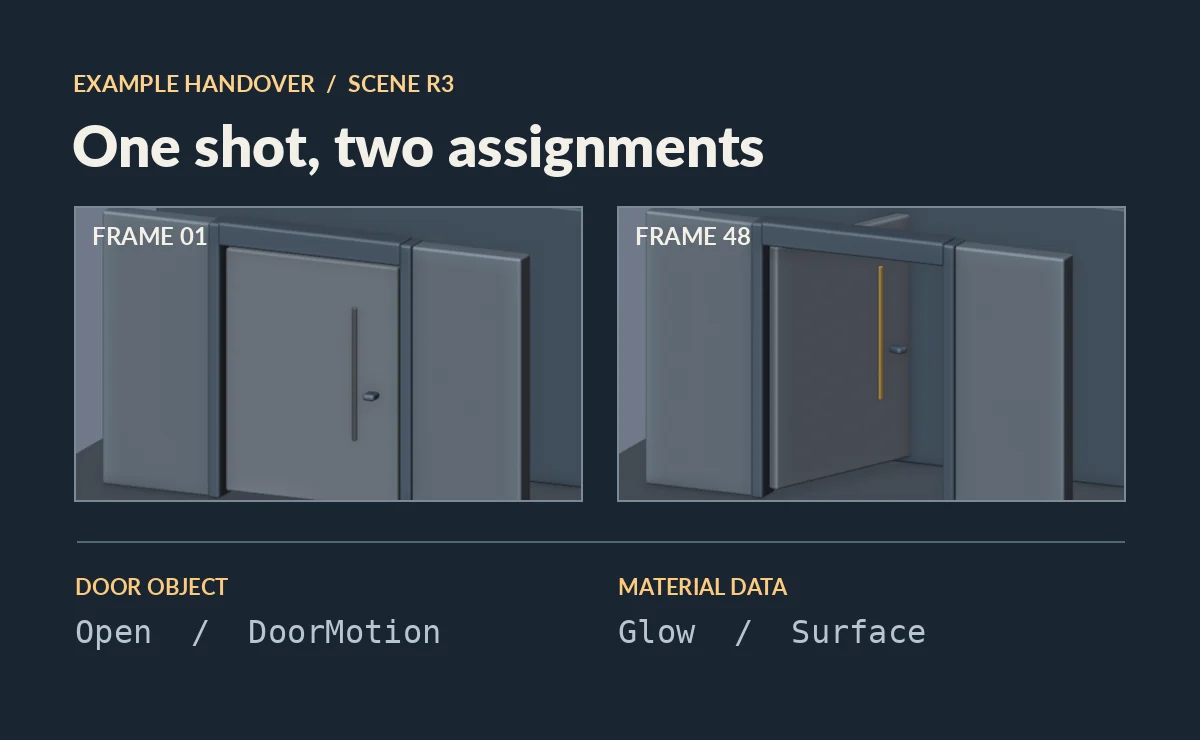
Consider a separate, invented shot: the door object uses an Action named Open, while its material uses Glow. Sending a note saying “use Open” leaves the material’s contribution unexplained. Renaming both Actions more elegantly would not fill the missing relationship.
A useful note identifies the actual data-block, its Action and Slot assignment in the retained file, and the scene revision. Where names could be duplicated across libraries or files, include that context. The recipient needs to know which data uses which animation, not merely which labels look familiar.
The versioned Blender 4.5 manual on Actions explains why both fields matter: an Action contains animation, while a Slot identifies the part used by an animated data-block. Sharing an Action does not require two data-blocks to use the same Slot.
For the invented door shot, a relationship note could contain these entries. All names are illustrative; they are not identifiers from a tested project.
- Door object, scene revision R3: Action
Open, SlotDoorMotion; supplies the door’s movement in the intended shot. - The material’s animated data-block, R3: Action
Glow, SlotSurface; supplies the separate material animation. Identify the actual data-block in the file, including its node tree if that is where the animated property belongs. - Review movie, R3: frames 1–48 with the recorded playback timing; shows the combined intended appearance.
The second entry must be resolved to the actual target before handover; “the material” alone may be too vague. The invented names explain the form of the note, while the retained file supplies the real assignments.
Viewing is different from assigning
The workshop also proposes separating the Action being viewed from assignment to a data-block, alongside broader access to Action/Slot controls. Those are design proposals in the dated account, not instructions to find a released button.
The distinction nevertheless explains a common documentation problem: “I opened this Action in the editor” does not by itself describe every assignment needed for the shot. A filtered view is also not a complete inventory of scene relationships.
Suppose the recipient reports, “I can see Open, but not Glow.” There are at least two different checks. If the retained assignments are present and the relevant animation is merely outside the editor’s current view or filter, the immediate problem is finding it. Changing assignments just to make a row appear could alter a scene that was already connected correctly.
If the appropriate data-block has no intended Action/Slot assignment, the issue is in the relationship itself. Compare it with the retained revision and determine what should be restored. An Action existing somewhere in the file does not prove that the required data-block uses it. The handover note helps distinguish these explanations before anyone renames, duplicates or reconnects data.
Keep a review reference with its range
The review movie communicates the intended combined result; the assignment note explains which parts of the retained scene contribute to it. Check that they refer to the same revision and range. A useful-looking movie from an older file cannot settle the assignments in R3.
No version-specific setup has been tested here. The useful handover pairs those two forms of evidence, while leaving the workshop’s interface proposals at their documented development status.